
what solstone does
what makes solstone different
the screens you'll see are real screenshots from a demo journal we wrote: a year in the life of William Shakespeare, 1595, kept on 2025 dates. docudrama style, based on things known or inferred from his life, with much detail filled in. the whole journal is public, so you can read the days behind these screens.
with screens from the demo journal
top ten features
-
your journal is just a folder you hold
a folder of dated directories, mostly plain text, on a computer you choose. organized, and readable with ordinary tools.
chronicle/20251206/
  agent-memory-56ef…/    1 inside
  body/                  1 inside
  body.md
  calendar/              1 inside
  desk/                  2 inside
  health/                3 inside
  location.md
  mcp.agent/             2 inside
  notes/                 1 inside
  phone/                15 inside
  screenshots/           3 inside
  stats.json
  talents/               2 inside
  talk/                  2 inside
one day of the demo journal, as a folder. -
what happened is distinct from what was inferred
the sources you add to your journal are kept verbatim, and generated summaries are always separate.
see each layer →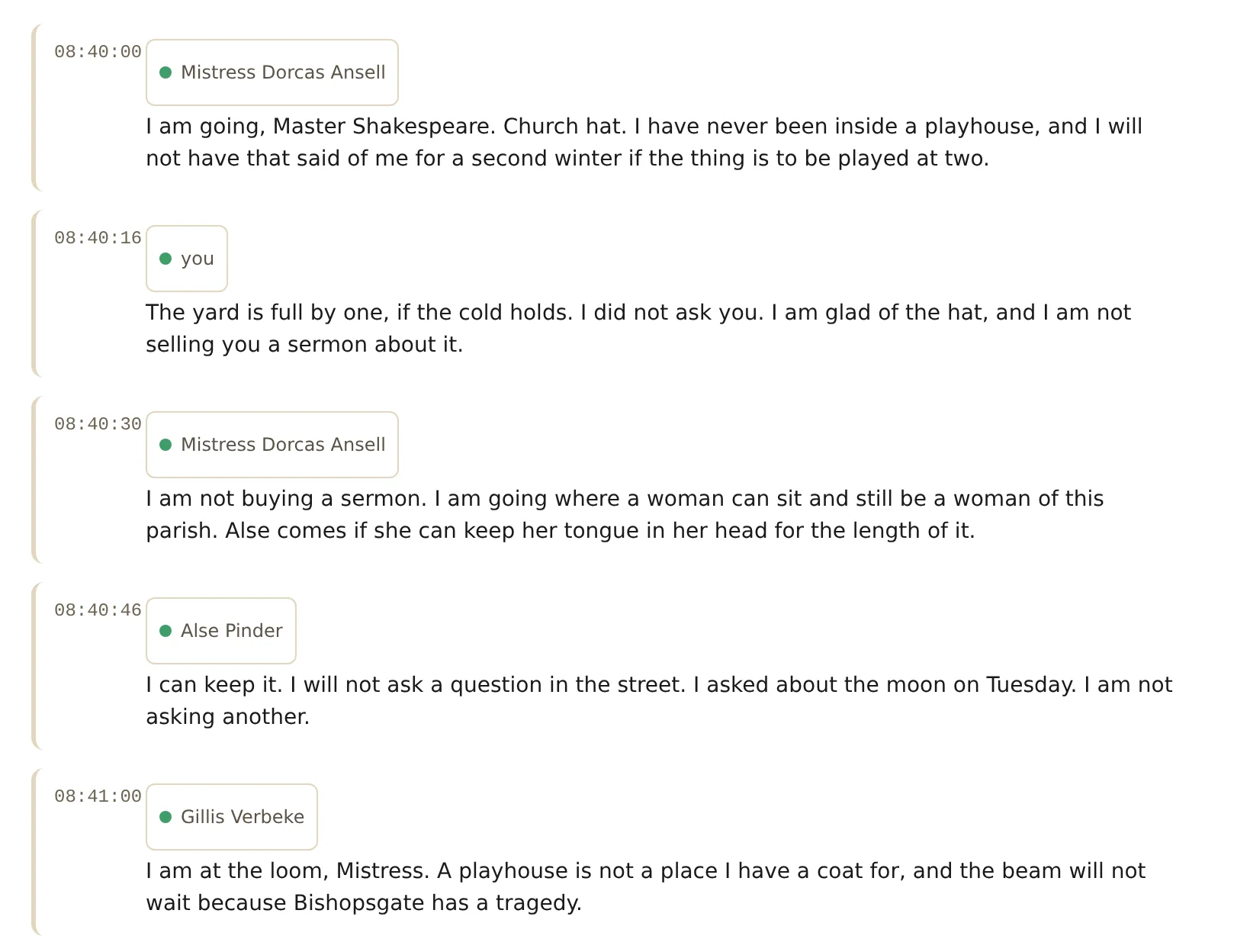
the words of a meeting, each line with who said it. the journal's summary of the same minutes is kept in its own place. -
"that's not right" changes the journal
fix who spoke or what happened once, and the rest of your journal follows.
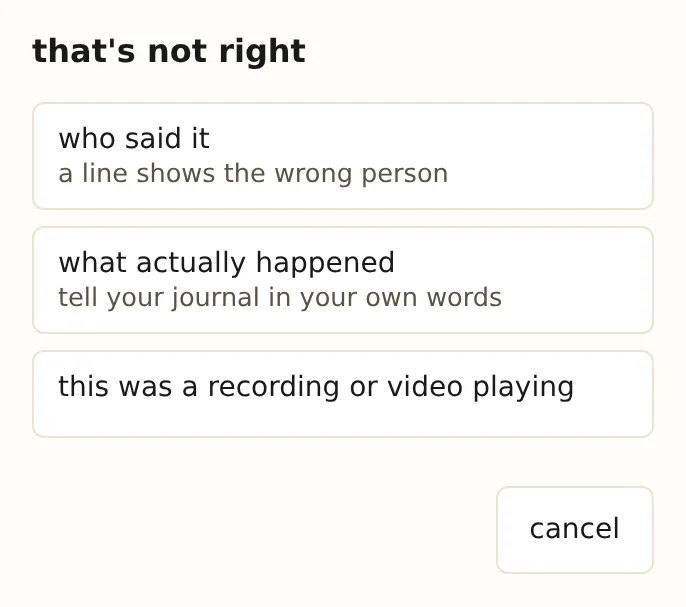
on a meeting: who said it, what actually happened, or a recording playing. -
your day, your week and your year
each day gets a summary of what happened in it. each week shows one memory from each day, printed as it was kept. and the whole year fits on one page, each day colored by how much your journal holds for it.
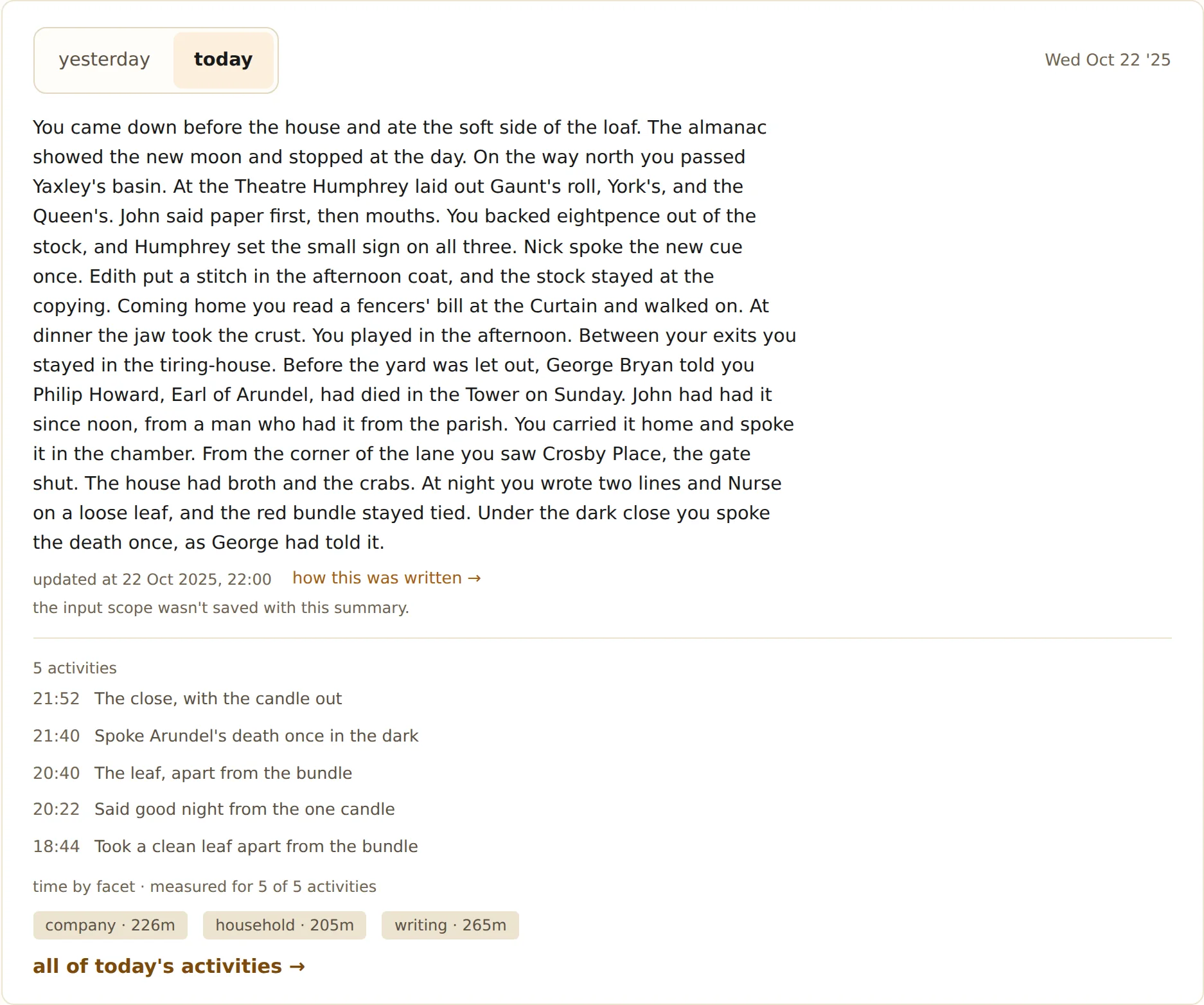
22 october: the journal's summary of the day, and the evening's activities. 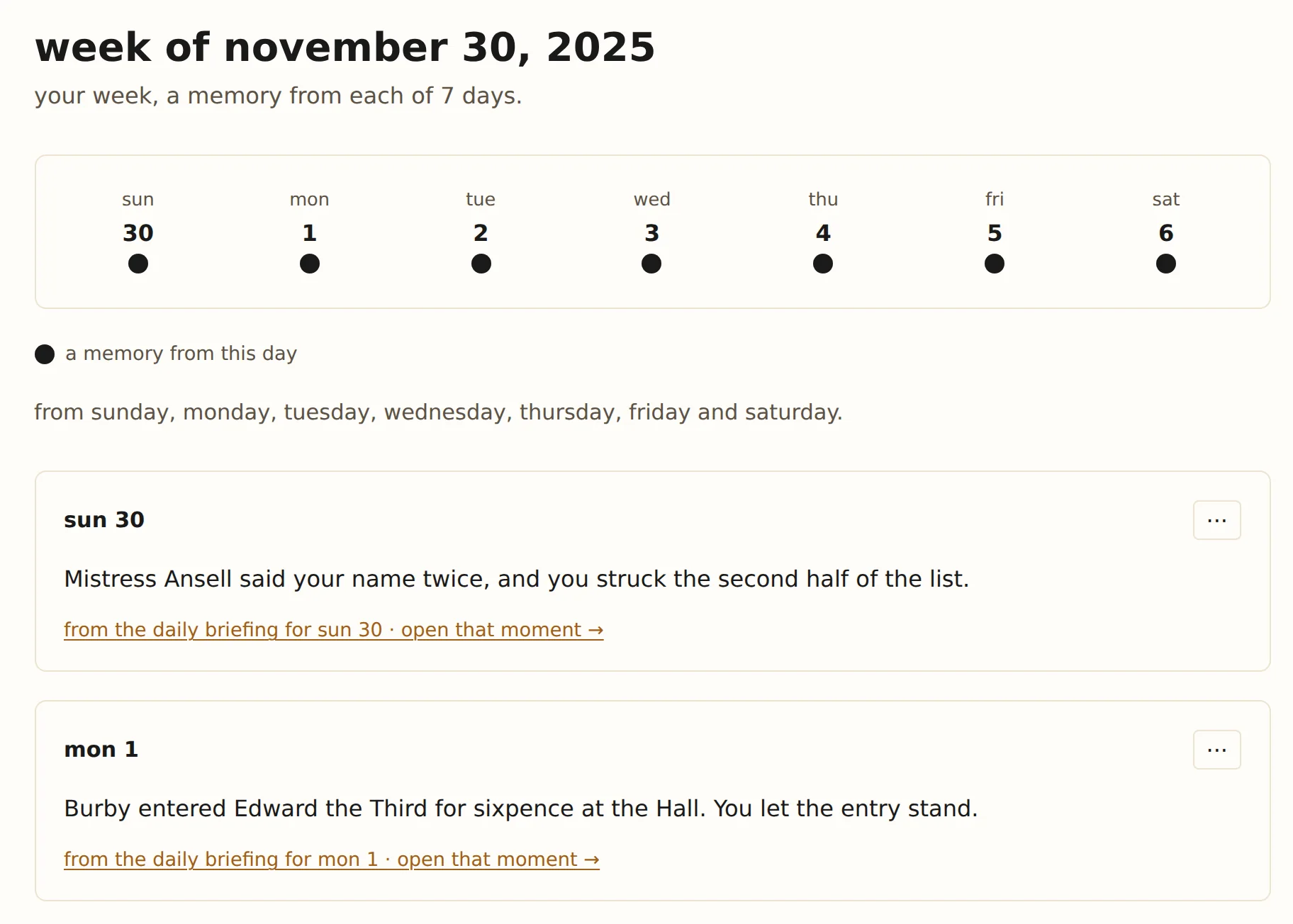
the week of 30 november, one memory from each day. 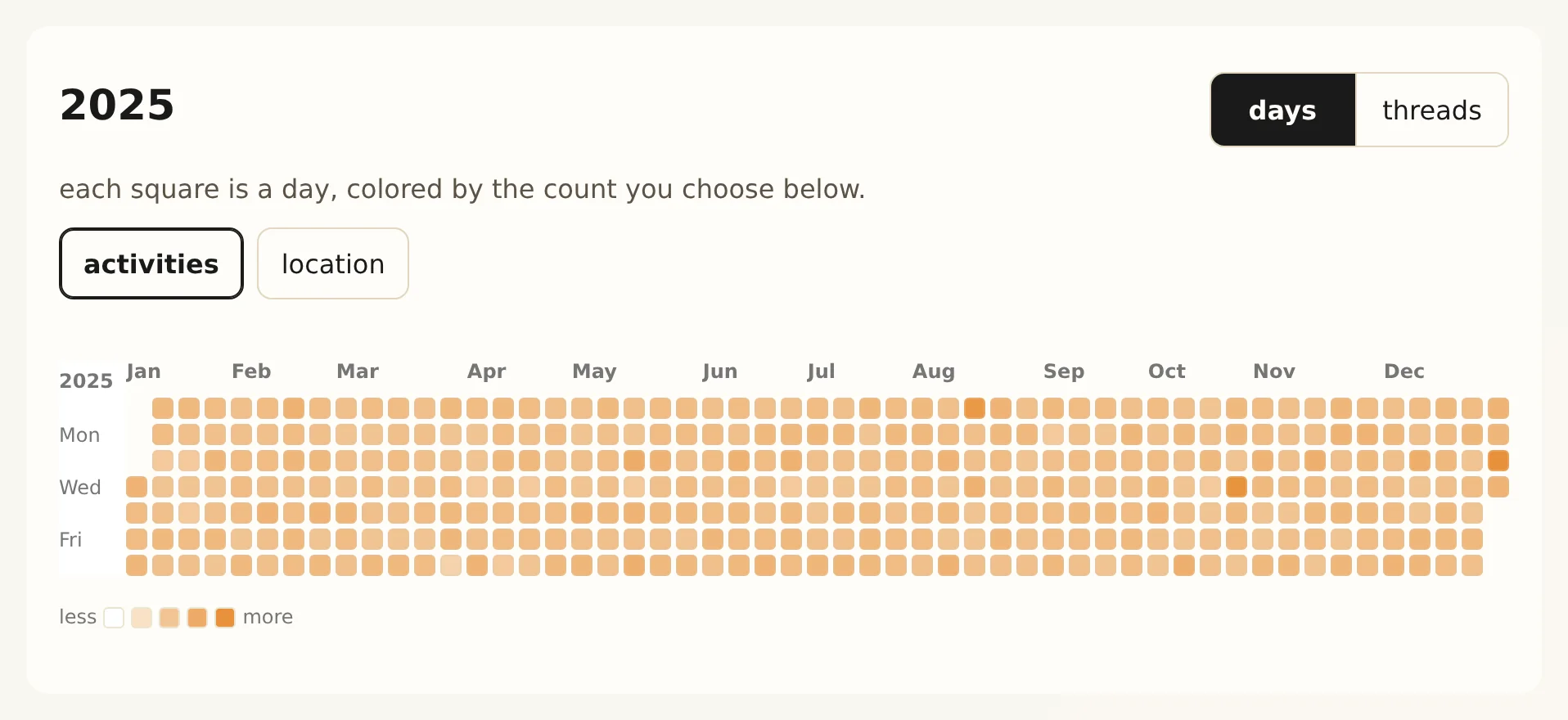
the demo year, each day colored by its activities. -
thinking happens where you choose
a local model on your own computer. or bring your own key, sign in with ChatGPT, or use your own endpoint. or confidential processing, which sol pbc runs. one choice for the whole journal.
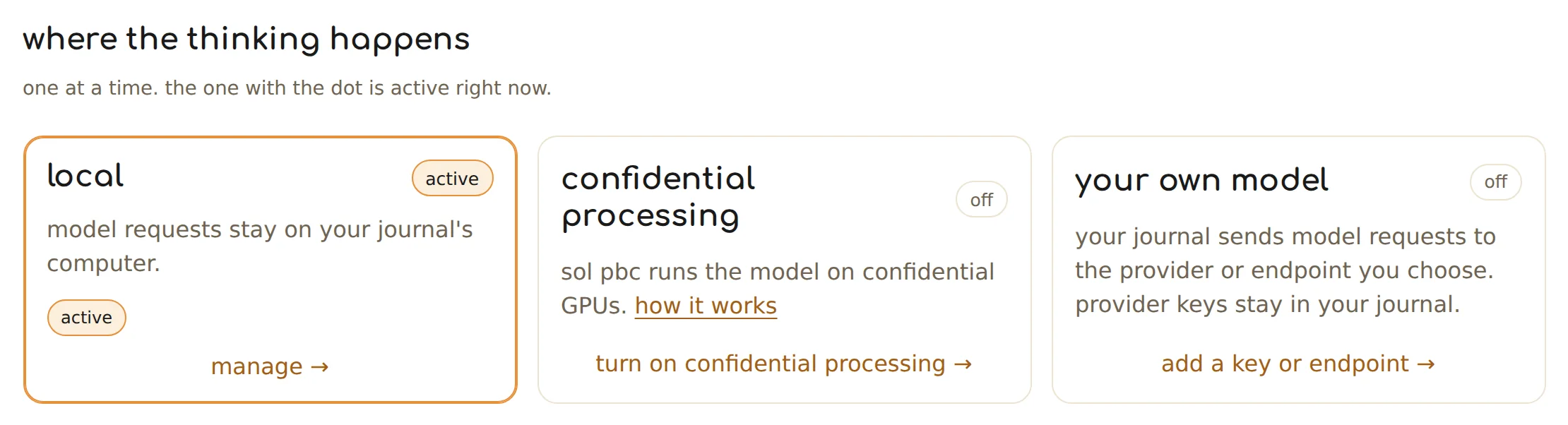
the three places thinking can run, with local active. model requests stay on your journal's computer. -
leave out other voices
turn it on, and stretches where only other people speak are left out before anything else works on them.

off until you turn it on. -
let your agents read from your journal, but only what you let them see
choose which kinds of material each agent may read, and which parts of your life.

Claude, connected, and the kinds of material it may see. -
agents can store new memories in your journal
read them, delete them, and they stay deleted.
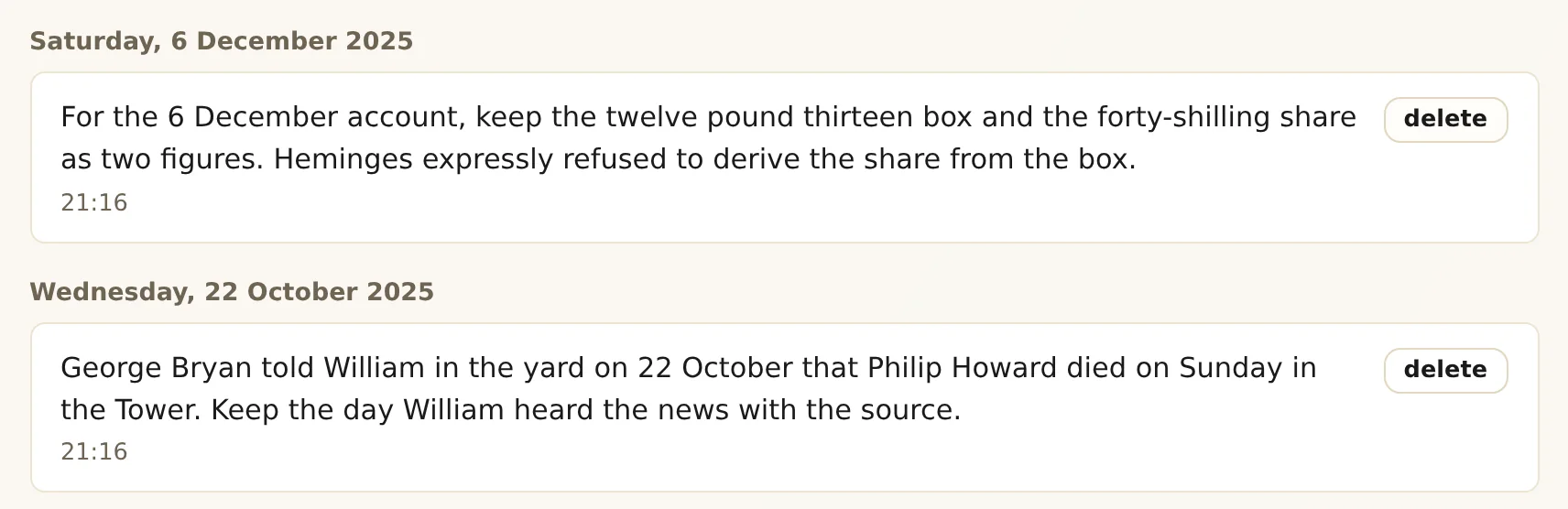
Claude's notes from the demo year, each one yours to delete. -
reach your journal from anywhere, on any device
on your own VPN, or through private network, using a relay sol pbc runs that can't read what passes.
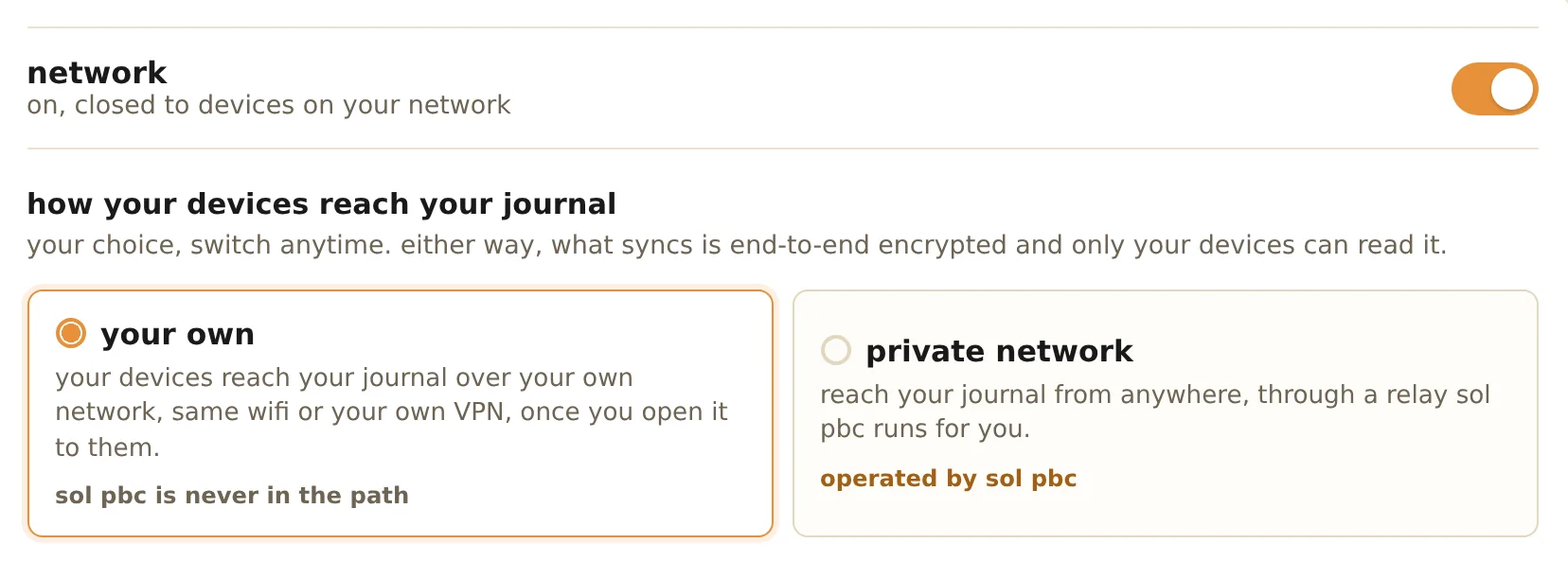
your own network by default. private network, when you want it from anywhere. -
the journal's mark: always confirm it's your journal
two icons, two colors and two words, cryptographically bound, for quick visual verification.
the demo journal's unique mark.


and two more
safe, secure sync between your devices and your journal
always encrypted in transit.
privacy built in
choose which sites and apps are kept out before anything is saved.
sources on devices you live with
native apps on every platform, browser extensions, and your watch.


the list
does it do that?
remembering
your journal is just a folder you hold
a folder of dated directories, mostly plain text, on a computer you choose, readable with ordinary tools. search is built from it.
availableyour journal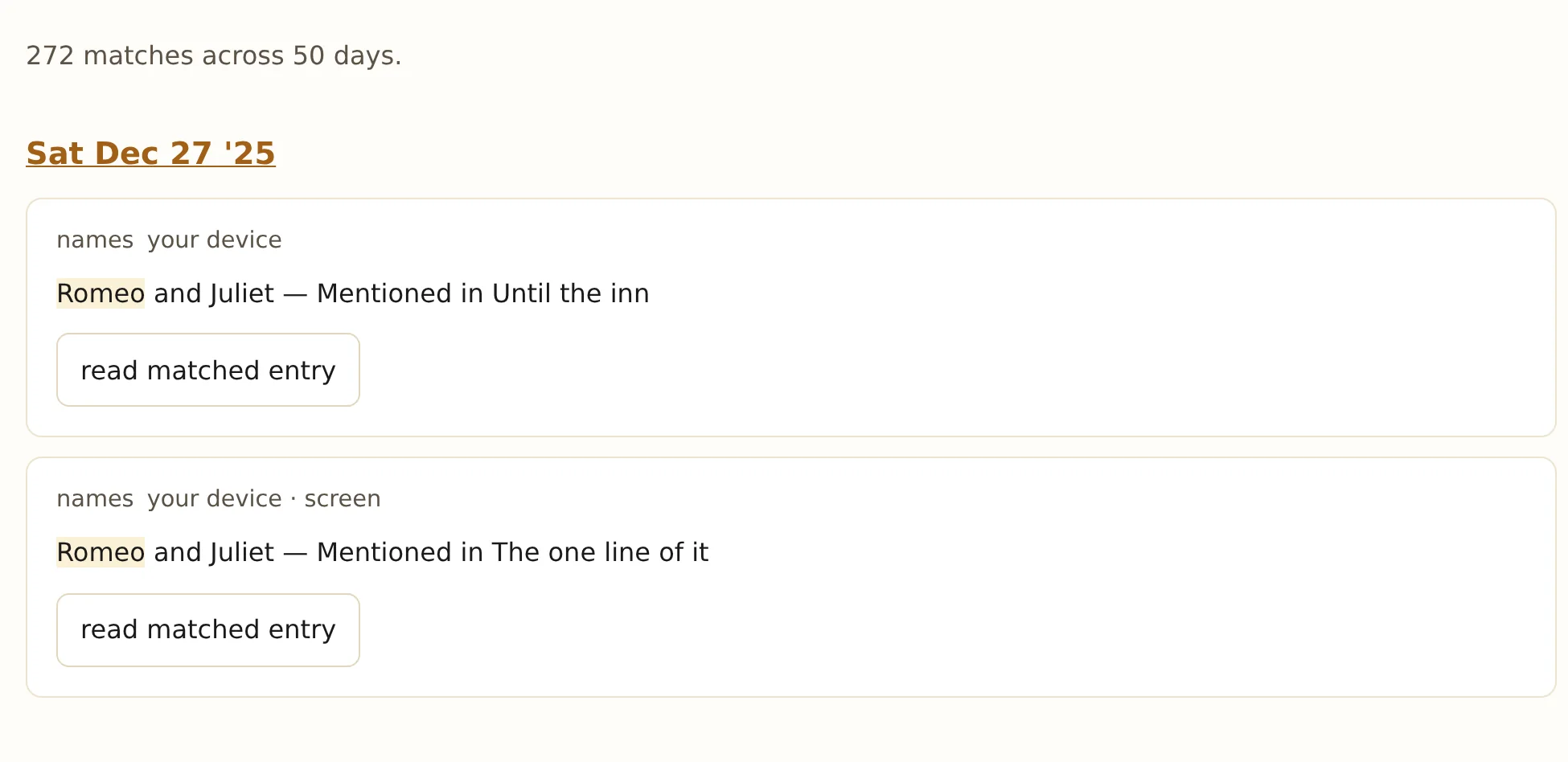
a search for Romeo: 272 matches across 50 days. what happened is distinct from what was inferred
the audio, what your journal recognized in it, the journal's summary and your corrections are kept as different things.
availableyour journalthe words of a meeting, as transcribed. imported transcripts keep their own words and times
the words and the times come from the file. your journal may add topics and the setting, and nothing else.
availableyour journal"that's not right" changes the journal
say who spoke, what actually happened, or that it was a video playing. the day's briefing, the people and the week follow, and you can remove the correction later.
availableyour journal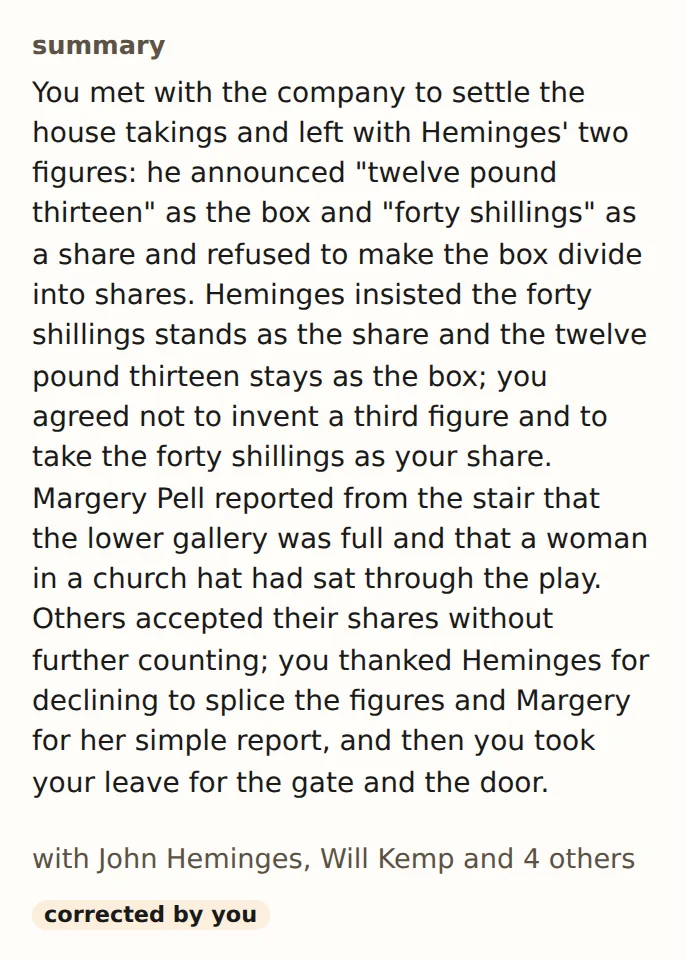
after a correction: the summary rewritten, and marked corrected by you. a misheard name can still find the person
when a name is misheard, your journal can note who it might be, so search finds them while the transcript keeps the words as they were transcribed.
availableyour journal
the words as transcribed, with a possible name beside them. who said what, worked out step by step
your own voice first, then who was in the meeting, then voices you've named, and the journal's best guess only for what's left. when two voices are too close to tell apart, the line stays unnamed.
availableyour journal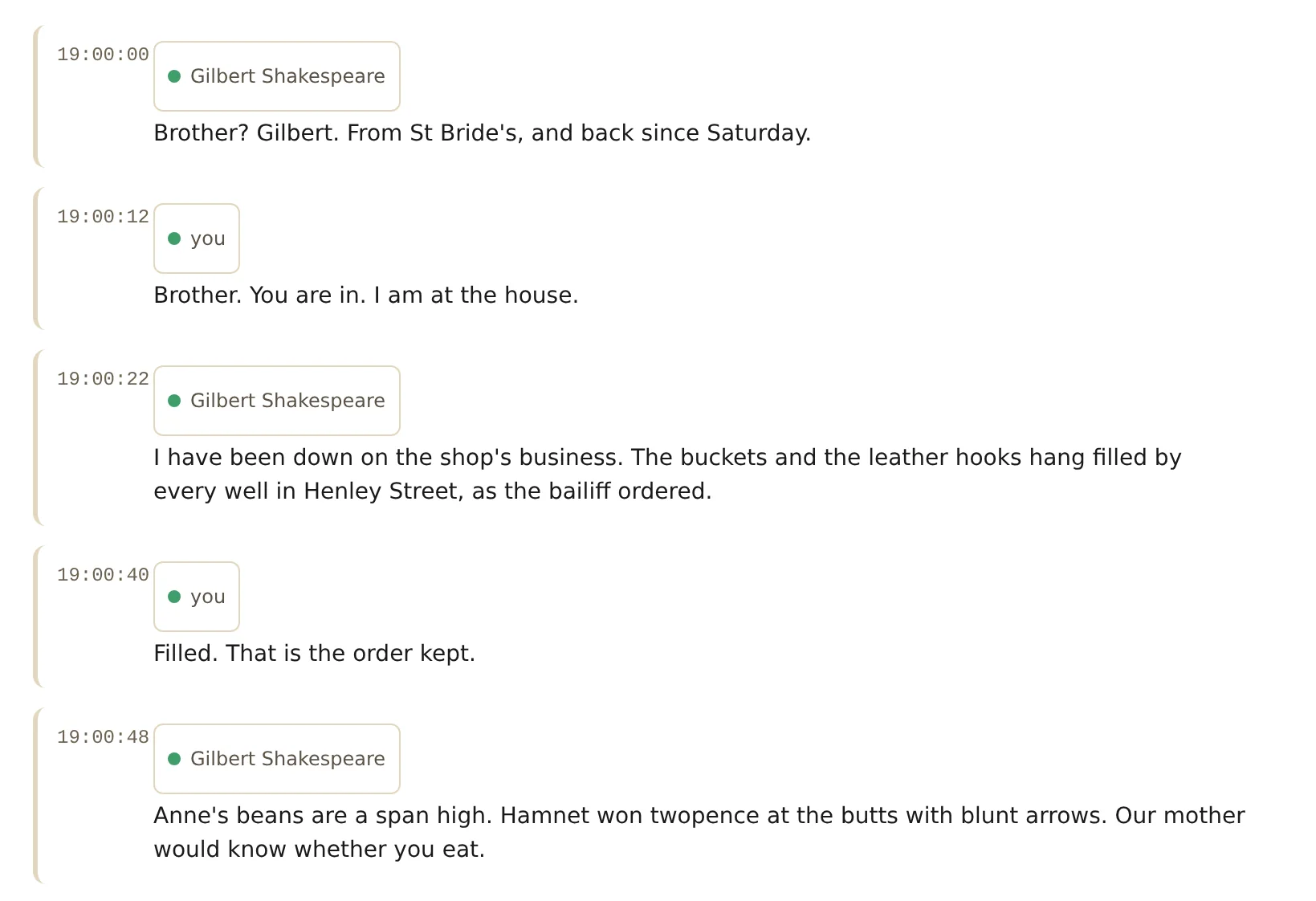
a call, each line with who said it. people, with the photo you choose
your journal finds faces in your meeting recordings and offers photos on each person's page. choose one, say it isn't them, or choose none. it's on by default, and you can turn it off and erase face data in settings.
availableyour journal
Anne's page in the demo journal, with her photo. your day, your week and your year
each day gets a summary of what happened in it. each week shows one memory from each day, printed as it was kept. and the whole year fits on one page.
availableyour journal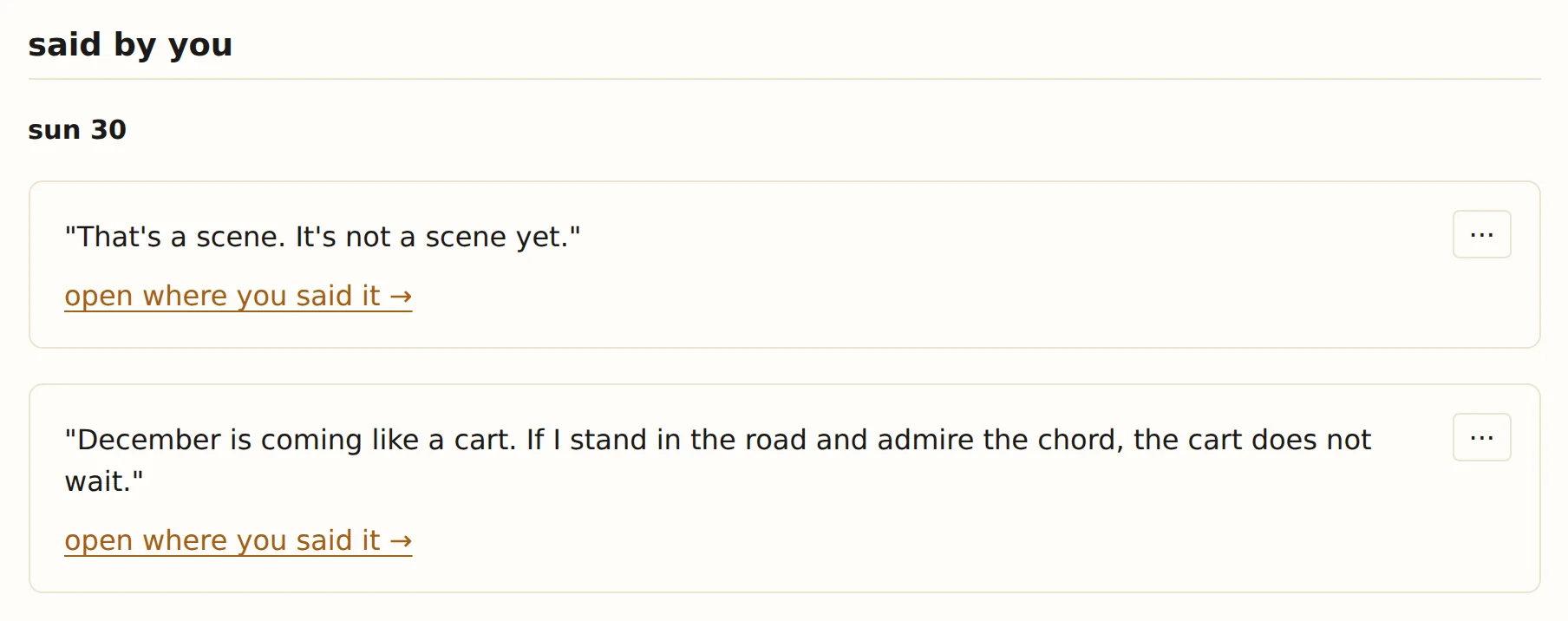
said by you, the week of 30 november. your sleep, steps and workouts, as they came in
Apple Health, Oura and Strava, shown as they came in, with no averages or comparisons.
availableyour journal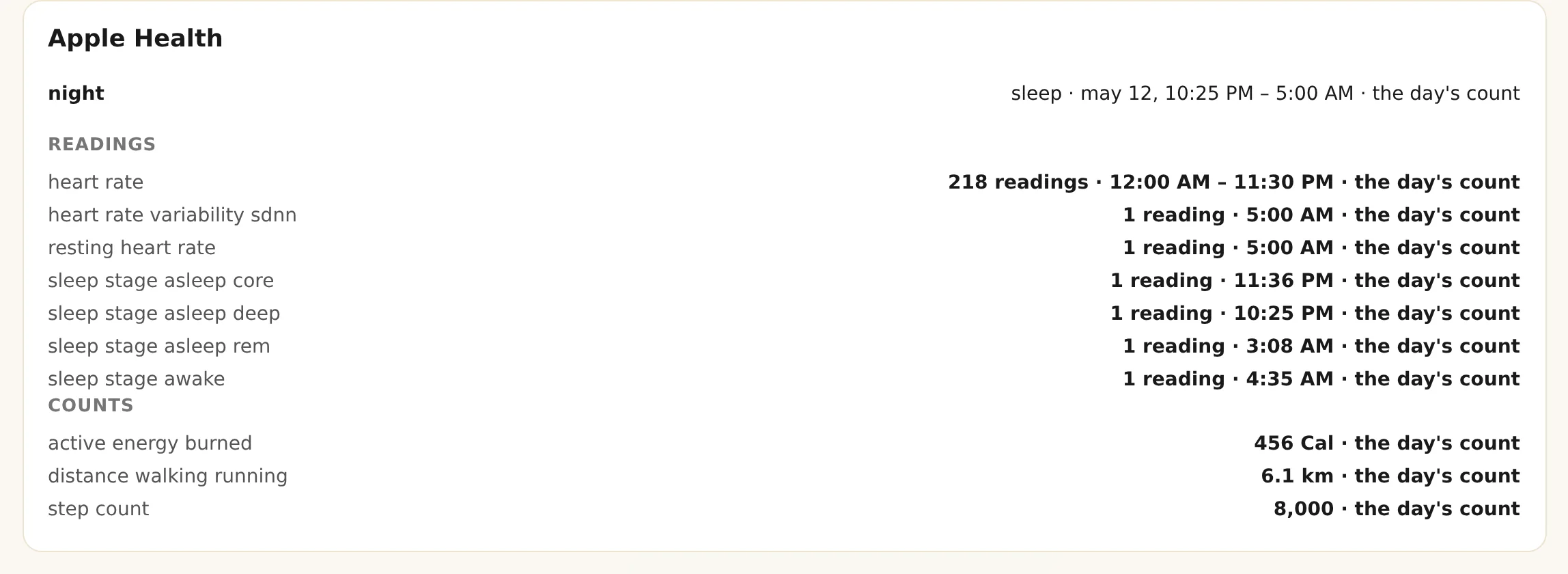
13 may: readings and counts, as they came in. a map of your days that never asks a map service
places are named from data that comes with your journal, and the wording says how sure it is: near, in or at.
availableyour journal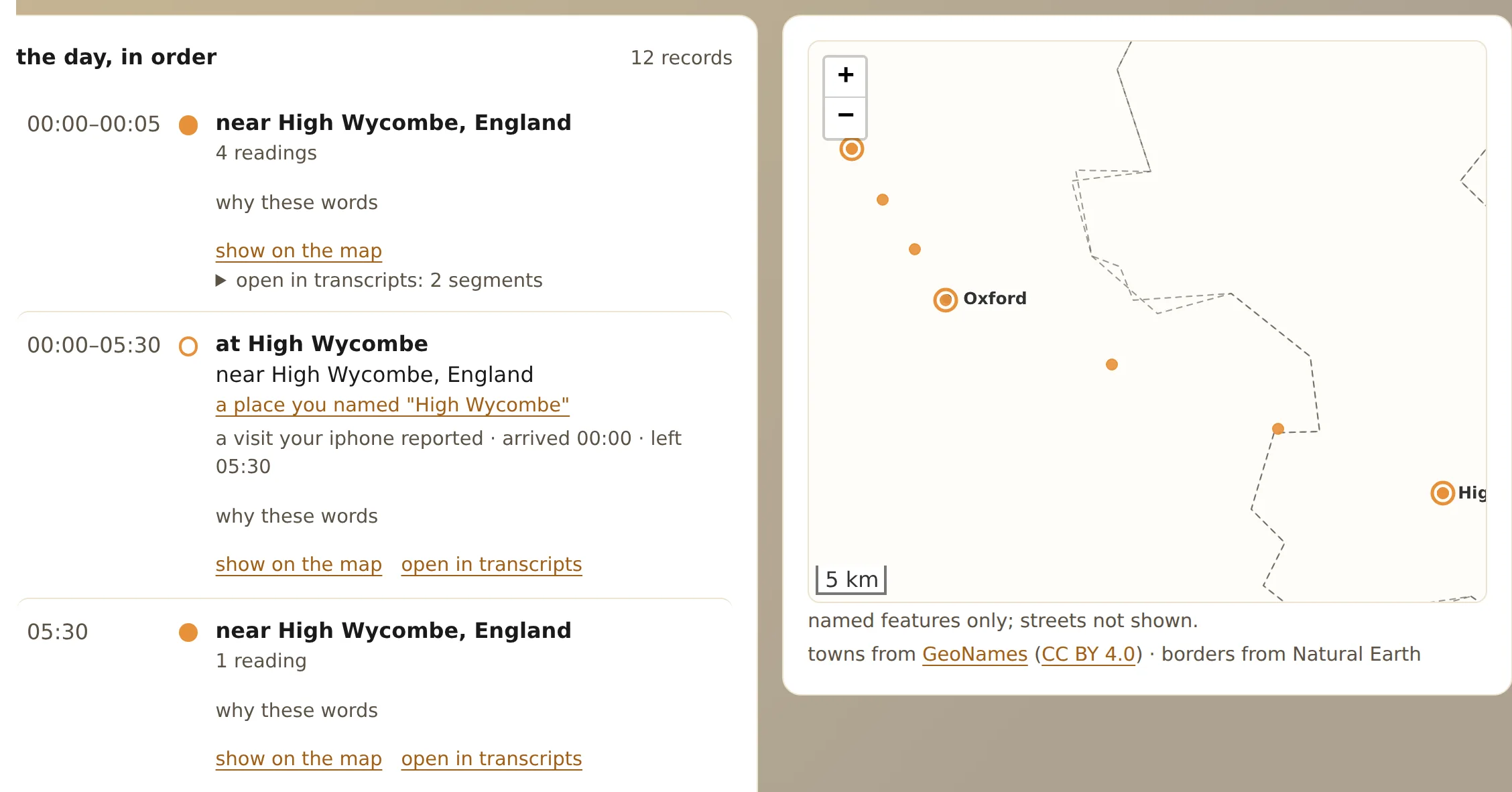
a day on the road, place by place. bring in what you already have
ChatGPT, Claude and Gemini exports, Evernote, audio archives, calendars, photos and PDFs. AI chat exports are recognized by what's in them, not their file names.
availableyour journal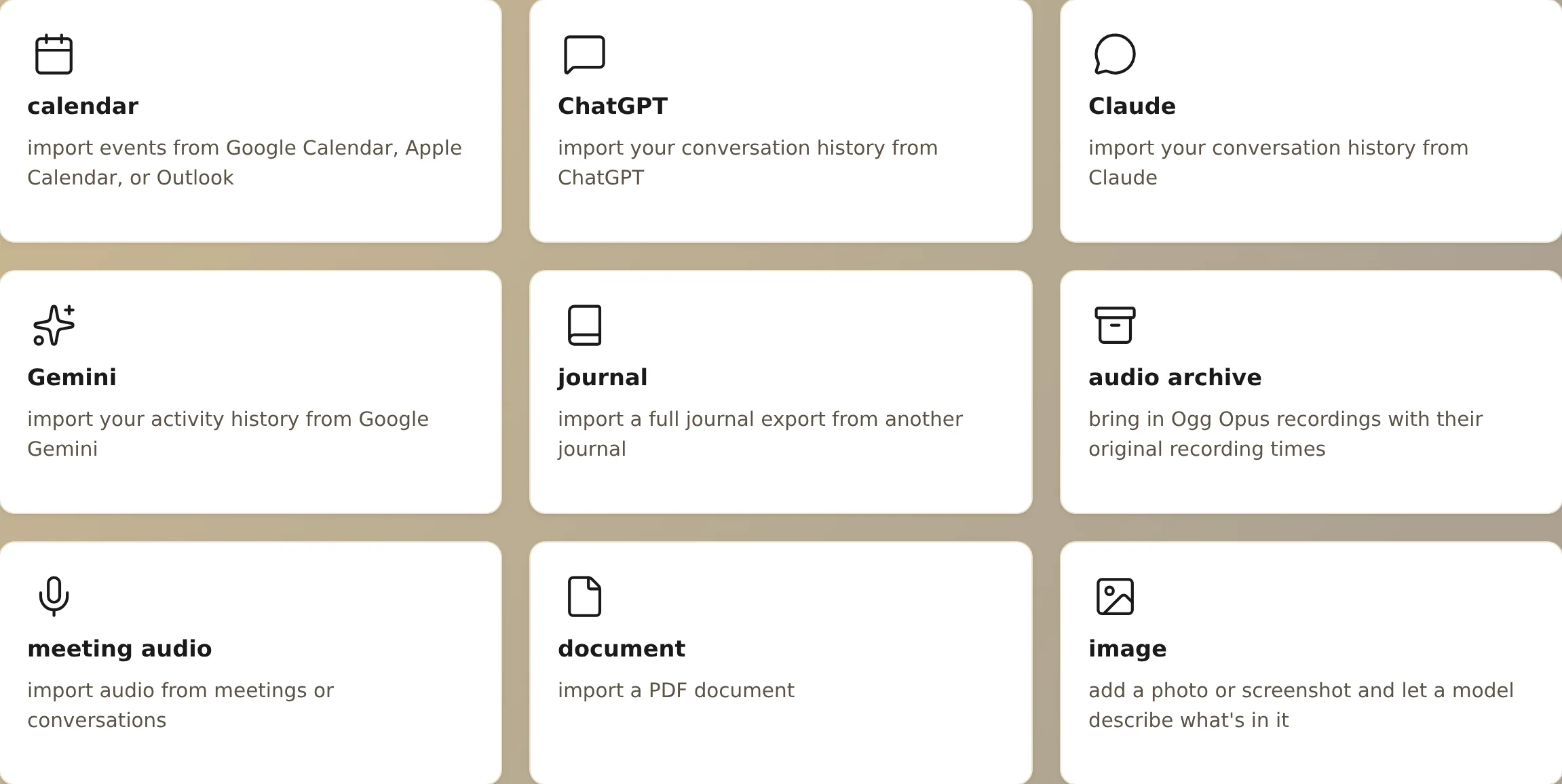
what you can bring in. Obsidian notes come in on their own
point the app at a vault and your notes come into your journal. it takes in the vault and never changes it.
availablemac · windows · linux · android · iphone and ipad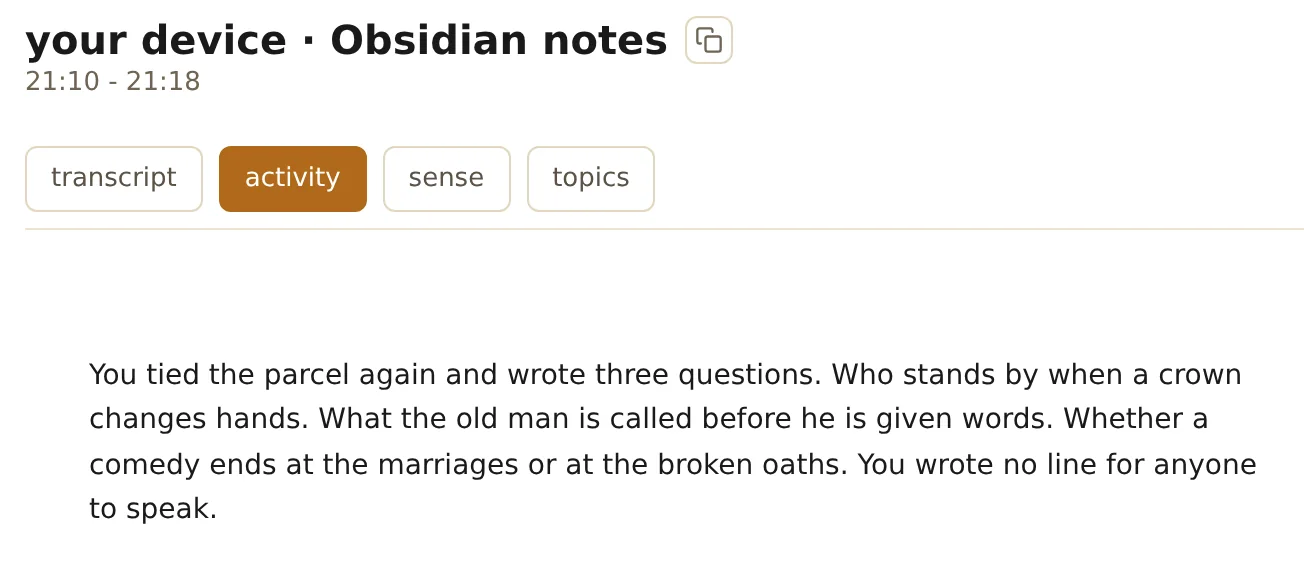
an evening's Obsidian notes, as your journal tells it. your Granola meetings come in
connect Granola with your own personal API key, which comes with Granola Business and Enterprise. your meetings come in with their transcripts, summaries and private notes, and new and edited meetings follow within the hour. your journal uses the key only to read your meetings from Granola.
availableyour journalthe screenshots you take
each screenshot you take comes into your journal at the minute you took it.
availablemac · windows · linux · android · iphone and ipad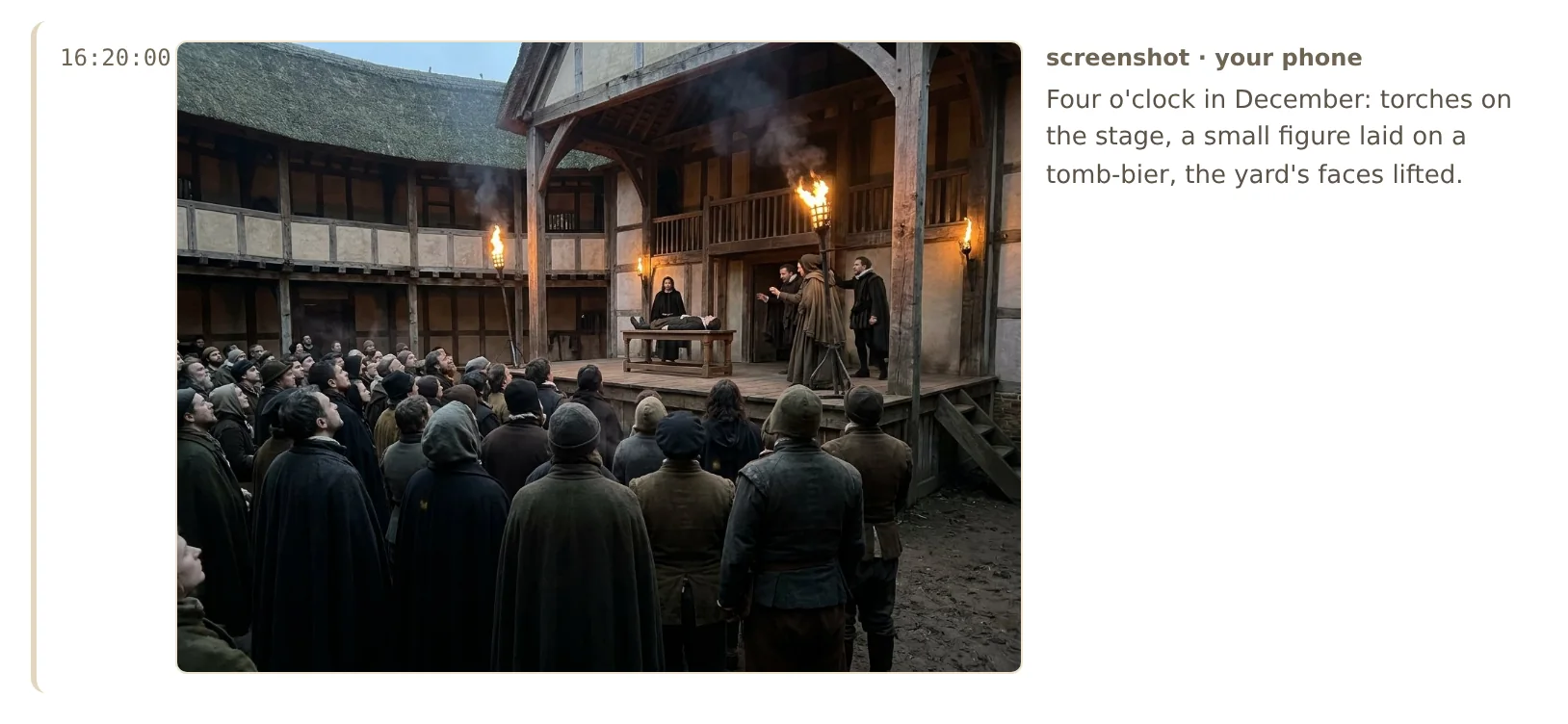
a picture, at the minute it was taken. your terminal, as text
turn on terminal and your tmux sessions come into your journal as text, not screenshots, while you're typing in them.


privacy
safe, secure sync between your devices and your journal
always encrypted in transit. what a device takes in stays on it until your journal confirms it has it.
availableevery solstone appleave out other voices
turn it on, and each new recording is checked against your saved voice. stretches where only other people speak are left out before anything else works on them.
availableyour journaloff until you turn it on. choose which apps are kept out
on mac and windows, apps you leave out never appear in your screen frames. well-known password manager apps start out left out.
choose which websites are kept out
while a site you've listed is on screen in Safari, Chrome, Edge or Brave, the solstone app for mac can keep that browser out of what it takes in.
availablemac · browser extensionstreaming video steps aside
when Netflix, Disney+ or Prime Video is on screen, screen and sound pause together and start again on their own.
availablemacthinking happens where you choose
a local model on your own computer, your own key or endpoint, your ChatGPT sign-in, or confidential processing, which sol pbc runs. one choice covers the whole journal, and a failure never quietly sends your material somewhere else.
availableyour journallocal, confidential processing, or your own model. local is active. calendars start off
every calendar starts off, including ones you add later. you choose which ones come in, and from how far back.
availableiphone and ipad · androidthe microphone never turns itself back on
after your android phone restarts, the solstone app waits for you to tap its notice. phone backups and moves to a new phone don't carry what hasn't reached your journal yet.
availableandroidencrypted notifications
each one is encrypted, padded to the same size so its length gives nothing away, and opened only on your phone. off until you turn it on.
availableiphone and ipad · androidthe solstone extension takes in text, not pictures
it takes in the words on a page and what changed, and all of it goes into your journal. it drops search terms and sign-in details from addresses, and never runs in private windows.
availableChrome · Firefox · Safari
your agents
your agents read only what you let them see
for each agent, choose what it may read (transcripts, people and places, screen text, body) and which parts of your life.
availableyour journalClaude, connected, and what it may see. agents can store new memories in your journal
each agent keeps its memories in your journal, where you can read and delete them. an agent you haven't used in a while pauses until you resume it.
availableyour journaleach memory, with its delete button. agents can suggest, and you decide
a connected agent can suggest a correction when something is wrong: who said a line, what actually happened, or that two people are one person. each one waits in suggestions with the agent named, and nothing changes until you accept it.
availableyour journallinks that open your journal at the right place
your agent can give you links to an activity, a person, a day or a recording in your journal, and opening one takes you there.
availableyour journalyour agents reach your journal the way you choose
on the same computer, on your own network, at solstone.me, or at an address you own. connect an agent.
availableyour journal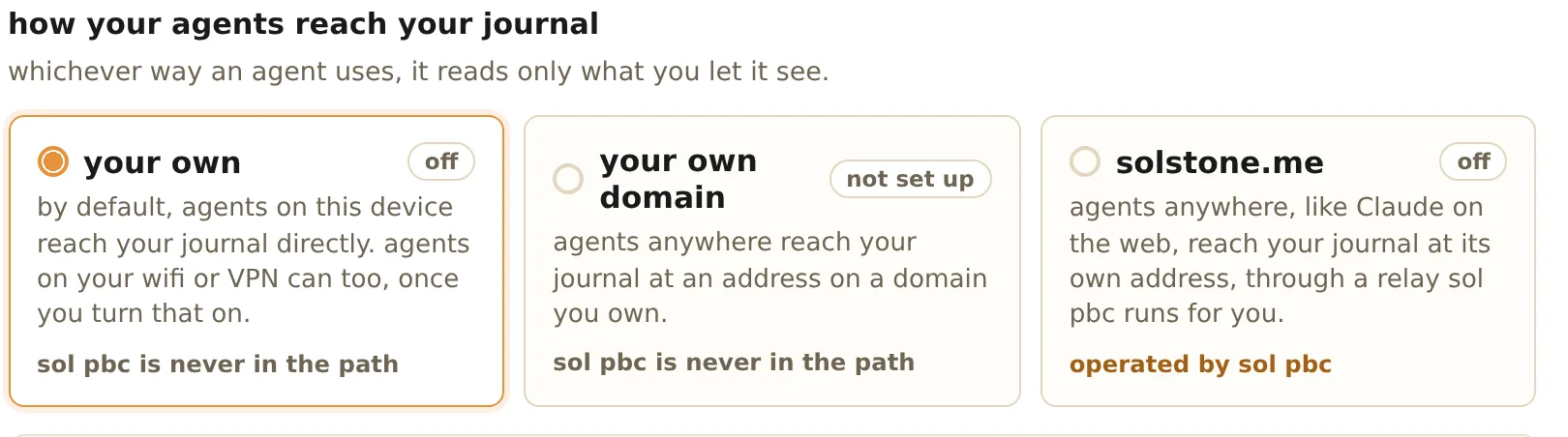
how an agent reaches your journal. works with the agents you already use
Claude, Claude Code, Codex and Gemini CLI. how to connect one.
availableyour journal

your devices
switching journals never loses what's on a device
what a device took in that hasn't gone into a journal yet goes to the one you pair with next, once you confirm it's yours.
availableevery solstone appsame computer, one press
a journal on the same computer is found and connected with one button.
your watch hands off with care
a recording stays on your wrist until your phone confirms it has it.
availableapple watchon linux, only your own desktop
the solstone app for linux takes in your own desktop session, never the login screen, another account or a remote login, and all of it goes into your journal.
availablelinuxbluetooth headsets keep their sound
by default, a headset microphone is used only while another app is using it, so your headset doesn't drop to call quality.
availablemac
checking and leaving
the journal's mark: always confirm it's your journal
two icons, two colors and two words, worked out on your own device. if someone swapped your pairing link, you'd see a mark that isn't yours.
availableevery solstone appthe demo journal's unique mark. nothing is sent until you say it's your journal
what each app took in waits on the device until you confirm the mark. if it doesn't match, nothing goes anywhere.
availableevery solstone appreach your journal from anywhere, on any device
on your own VPN, or through private network, using a relay sol pbc runs that passes along encrypted traffic it can't read. its code is open.
availableyour journal · every appthe ways in. confidential processing that checks before it sends
sol pbc runs it. your journal verifies the published build before it sends, and if the check can't finish, nothing is sent. no content is retained, no human reviews it, and nothing is used to train.
availableyour journalbackups encrypted before they leave
to your own storage or storage sol pbc runs, with a recovery key you keep.
availableyour journal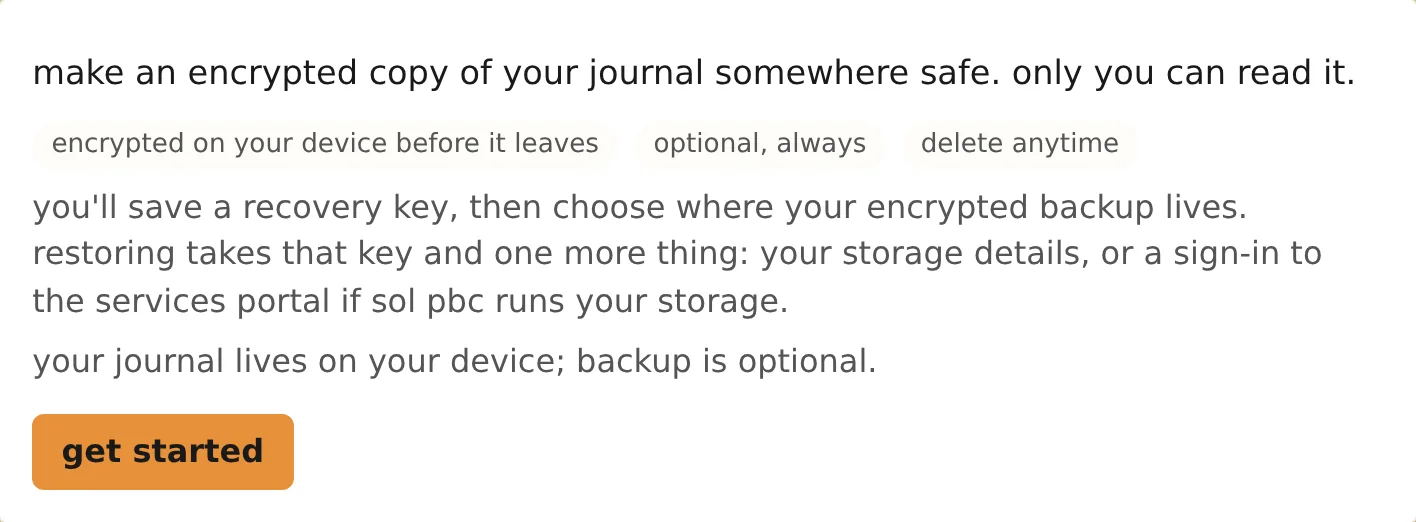
where a backup goes, and its recovery key. when in doubt, your journal keeps it
with no limit set, or a limit of zero, it keeps things forever, and where two settings overlap, the longer one wins.
availableyour journal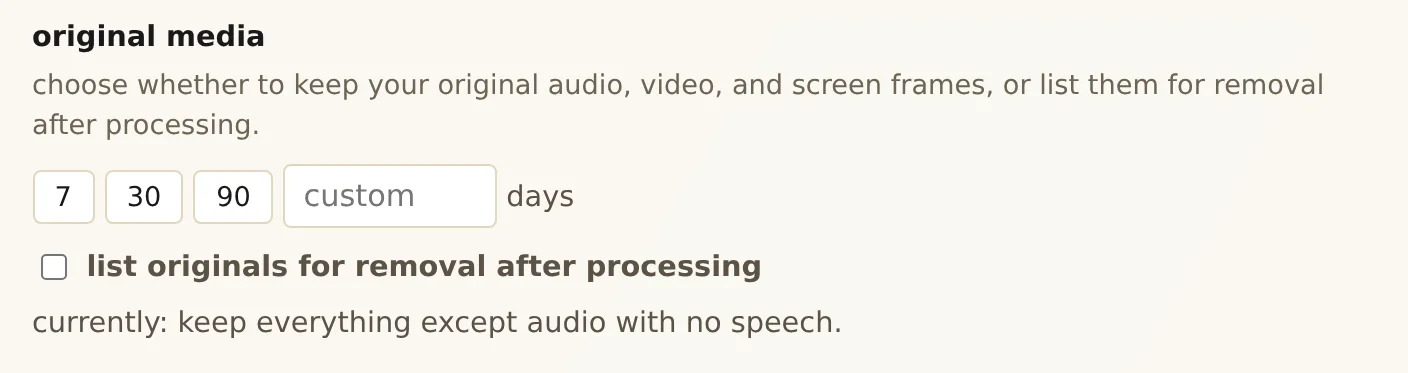
how long original media is kept. releases you can check
releases are signed, most are publicly recorded, and the linux installer won't run without checking the signature.
availableyour journalleaving is built in
an export is an ordinary zip another journal can merge. uninstalling leaves your journal where it was, and tells you where.
availableyour journal
export, as an ordinary zip. deleting reaches what was made from it
delete a recording, an import or a stretch of time, and it goes to the trash. a stretch of time takes everything from then. your journal writes its activities and the write-ups of those days and weeks again from what's left. on mac and linux, when you erase it from the trash, you can also remove it from your backups, so a restore can't bring it back.
availableyour journal


